
 TradeSimplr
 Start Here
You’ve probably got questions.
Start here.
You don’t need trading experience. You don’t need to learn charts. You don’t need to sit in front of a screen. TradeSimplr was built so ordinary people can access disciplined automated trading.
What you don’t need
- ✕Trading experience
- ✕A financial background
- ✕Mathematics
- ✕To watch charts
- ✕To follow the news
What you do need
- ✓A computer
- ✓An internet connection
- ✓A willingness to follow a setup guide
- ✓A little patience
How it fits together
The whole thing, in one picture.
- You
- Your broker
- MetaTrader 5
- TradeSimplr
- The market
- Trades
The 30-second explanation
- Your money stays with your broker.
- MetaTrader 5 is simply the software platform it runs on.
- TradeSimplr sits inside MetaTrader 5.
- It watches the markets and places trades automatically.
- You remain in control the entire time.
The honest answers
“If you’re sceptical, good. I was too. These are the questions I wanted answered before I trusted any automated system.”
You remain in control
Your money stays with your broker. You can pause, remove or stop a system whenever you choose. Nothing happens without your approval.
Risk is real
No system wins every trade. That’s why risk controls and predefined stop losses are built into every TradeSimplr system from the beginning.
You don’t need experience
TradeSimplr was built for people starting from zero. The systems handle the trading while the guides, videos and learning library explain everything else.
What is a broker?
Before TradeSimplr can do anything, you need somewhere for your trading account to live — and that’s the role of a broker.
Think of a broker as the bank account for your trading.
It’s where your money sits. You can add money, withdraw money and check your balance whenever you like. You choose the broker, open the account in your own name, and remain in control of it the entire time.
TradeSimplr simply connects to that account so the system can operate.
One less thing to worry about: it’s all set for beginners.
If you’re new, your broker account is typically set to the standard beginner leverage of 1:30 — and that’s exactly what everything here is built and tested around. You don’t need to understand leverage or change any settings. It’s already been done for you.
Everything in one place.
MetaTrader 5 is the software the system runs inside. You attach the one system to a single chart, and from there it trades all three markets — gold, Bitcoin and the Nasdaq — for you. Once installed, everything is visible from a single screen.
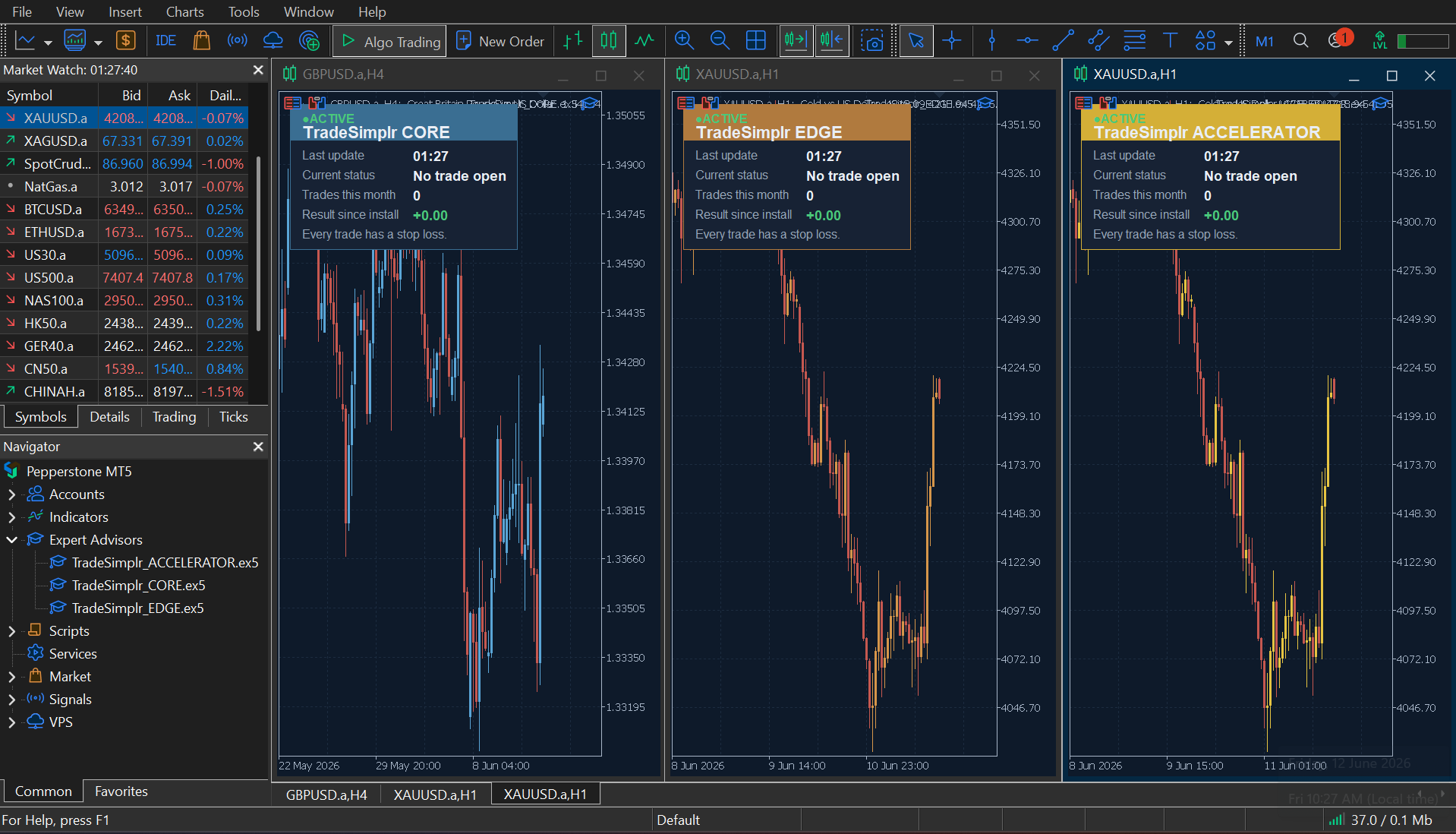
Looks more complicated than it is. MetaTrader 5 is used by millions of traders worldwide, which is why there are so many menus and buttons. The good news: TradeSimplr only uses a very small part of the platform — we’ll show you exactly what matters and ignore the rest.
You’re always in control
Control stays with you.
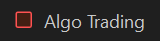
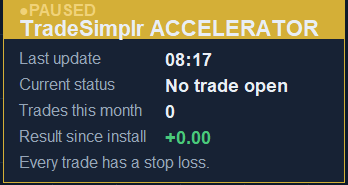
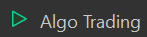
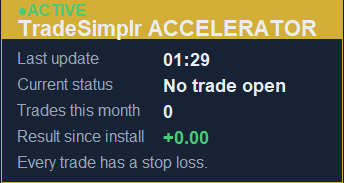
TradeSimplr only runs when you allow it to. Switch Algo Trading on and the system can operate; switch it off and it stops immediately. Nothing continues running in the background, and no new trades can be placed while it’s turned off.
The thinking behind it
Why it’s built this way.
The most important thing to understand isn’t the software. It’s why it exists. TradeSimplr wasn’t created by someone looking for a product to sell. It came from years of trying to solve the same problems most traders face: inconsistency, complexity and uncertainty. Three ideas shaped the system.
Consistency
The hard part isn’t knowing — it’s repeating.
Most people don’t fail for lack of information. They fail because following good rules every day, through boredom and stress, is genuinely hard. Automating it removes that burden and delivers the same disciplined process every time.
Three markets
Breadth comes from more markets, not more risk.
Gold, Bitcoin and the Nasdaq each move to their own rhythm and rarely fall together. Running all three means the system never leans on a single story — the combined result is steadier than any one alone.
Conviction
Commit more only where the evidence is strongest.
The system rates how convincing each setup is and sizes up only on the highest-scoring ones. Assertiveness directed by evidence, trade by trade — inside a hard safety frame.
Three markets, one philosophy: simple rules, extensive testing and disciplined execution.
Account size — what to expect
How much do I need to start?
There’s only one product, and it works on any account. The system sizes every trade as a percentage of your balance, so you never choose a “version” — you just run it on your account. The one honest difference is exposure.
A smaller account
Meets the market’s minimum trade sizes sooner, so the system caps or skips the odd trade to stay safe — taking a little less of each opportunity. Our testing was on a $5,000 account, so the results you’ll see already reflect a smaller balance. It’s a perfectly sensible place to start — many people begin here, and on a free demo first.
A larger account
Isn’t held back by those minimums, so it takes fuller, more precise exposure — every setup at its proper size, more of the opportunity captured. That’s simply why a larger balance was more profitable in our testing: more exposure, not a different or riskier system.
Same system either way. There’s no wrong answer — start with what you’re comfortable with, and a bigger balance later simply expresses more of the same strategy. See the full detail on the system page →
What comes with it?
You won’t be left to figure it out yourself.
Your purchase includes the same complete onboarding for everyone — not a folder of files, but a guided path from your first video to confident, everyday use. Everything you need is already explained before you need it.
TradeSimplr TradeSimplr Getting Started
TradeSimplr Start Here
TradeSimplr Understanding Automated Trading
TradeSimplr Keeping TradeSimplr Running
TradeSimplr The ACCELERATOR Guide
TradeSimplr The ACCELERATOR Strategy
TradeSimplr Quick Start Reference
Your onboarding journey
From your first video to confident, everyday use, everything is laid out in order — so you always know what to do next.
- 1 Welcome & MT5 SetupA short welcome and full setup walkthrough showing you how to install MetaTrader 5, log in, install the system, and switch it on.
- 2 Getting StartedYour practical roadmap from broker account to running system.
- 3 Start HereYour introduction to how everything fits together and how the documents work.
- 4 Understanding Automated TradingThe shared learning guide covering brokers, MetaTrader 5, demo accounts, trades, risk and automation.
- 5 Keeping TradeSimplr RunningHow to keep MetaTrader 5 online, including when a VPS becomes useful.
- 6 The ACCELERATOR GuideThe practical owner’s manual — installing it on one chart and running it day to day.
- 7 The ACCELERATOR StrategyThe thinking, testing and logic behind the system.
- 8 Quick Start ReferenceSimple keep-handy cards for day-to-day use.
“If something is worth doing, it should be possible to understand.”
You don’t need years of trading experience to get started. The learning library, guides and walkthroughs are designed to give you the understanding and confidence to use the systems properly from day one.
Read this before you buy
The honest truth, up front.
Everything we’d want to know before buying an automated trading system ourselves.
You can try it on a demo account first.
Before risking real money, you can run any TradeSimplr system on a free demo account that behaves just like a live one. Watch it operate, learn how it works, and build confidence — then decide whether you want to trade real capital.
Every system has losing trades
Losses are a normal part of trading. What matters is how a system behaves across hundreds of trades, not any single result.
Your money stays under your control
TradeSimplr systems can place trades on your account, but they cannot withdraw funds. Deposits and withdrawals remain entirely under your control through your broker.
You don’t need to be an expert
The systems handle the trading. The guides, videos and learning library explain everything else step-by-step, whether you’re completely new or simply short on time.
Let the system do the trading.
TradeSimplr was built so disciplined trading runs on its own — set it up once, and the system does the rest. Everything else is explained in the guides.