
The platform
MetaTrader 5, made familiar.
Before you install anything, here’s the whole picture in plain English — so by the time you open the software, it already feels familiar.
Everything you’ll use comes down to three pieces that fit together in a simple chain. Once this clicks, everything else becomes much easier to understand.
Where it all lives
Your account, your software, your control.
A broker holds your trading account — like a bank account, but for the markets. You open it in your own name, your money stays with the broker, and TradeSimplr only connects to it so the system can place trades. Choosing a broker →
MetaTrader 5 is the free software that account runs through — provided by your broker, used by millions of traders worldwide. And before any real money is involved, you can run everything on a free demo account that behaves just like a live one. Demo vs live →
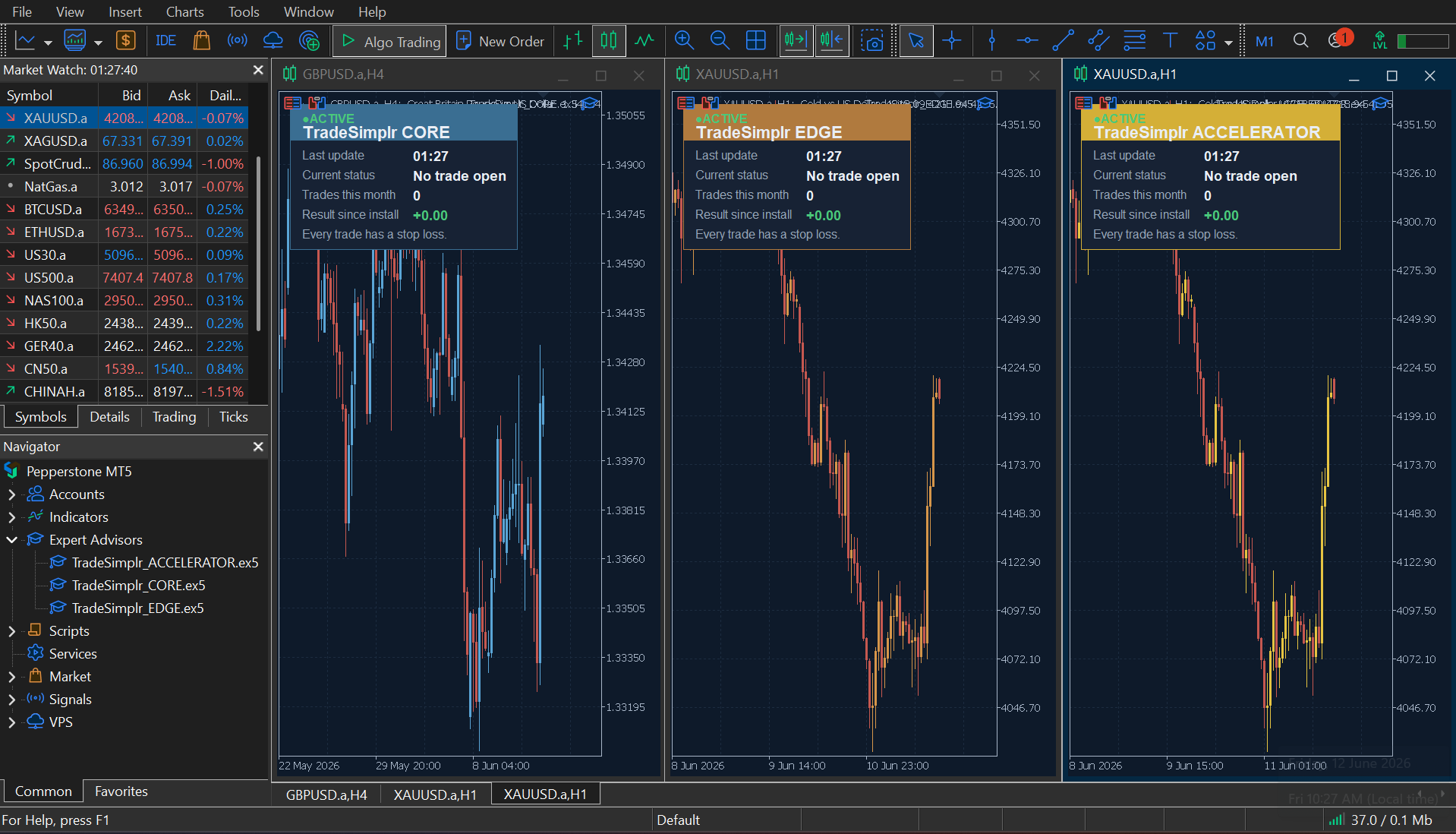
Why it looks busy. MetaTrader 5 is built for everyone, from complete beginners to professional traders — that’s why there are so many buttons. The good news: you’ll only ever use a small handful of them.
Running a system
One file. One switch. You decide.
Each TradeSimplr system is an Expert Advisor — a file that follows a fixed set of rules and places trades for you, the same way every time. Installing one is a single step: the file appears in MetaTrader, ready to attach to a chart. From then on, one button is in charge.
 On — the system can operate
  Off — it stops, immediately
 The green Algo Trading button is a real on/off switch. No trade is ever placed while it’s off — and you can turn it off whenever you like.
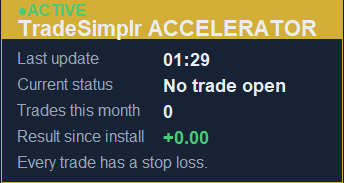
Once it’s running, each system shows a small panel on its chart: whether it’s active, and how it’s doing. A glance tells you everything is working as it should — and every trade carries a stop loss, set before it opens.
That’s MetaTrader 5 — a trusted place for your system to run, on an account that stays entirely yours. It’s all set up for you, and the system does the trading.